Your Journey to
Jazz Piano Mastery
Starts Here!
JazzPianoLab is your ultimate companion for learning, teaching, practicing and mastering the art of jazz piano.
Whether you're a complete beginner or a seasoned musician, this all-in-one app is packed with powerful tools to deepen your musical knowledge and sharpen your ear, sight reading and playing skills.
Though designed with jazz pianists in mind, this all-in-one app provides a versatile set of tools that are equally valuable for pop and classical pianists looking to enhance their skills and musical understanding.
Real-Time Chord Display
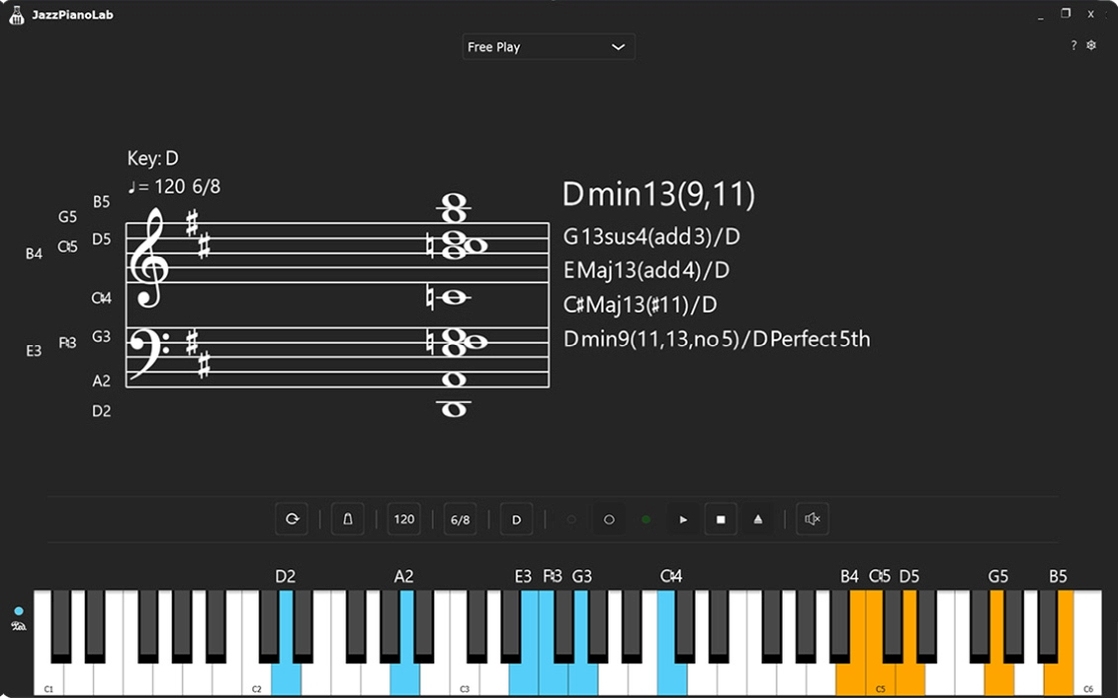
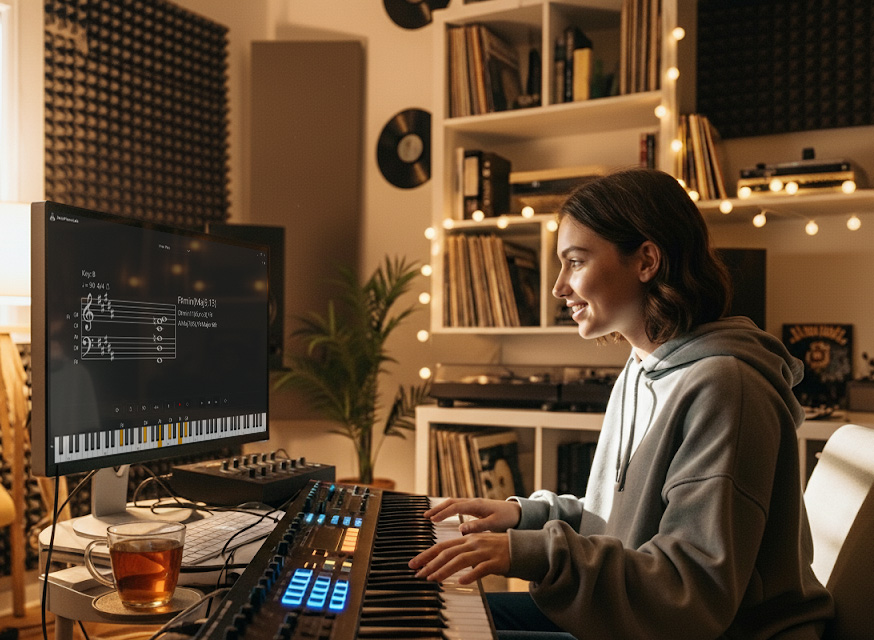
Connect your MIDI keyboard and see the exact chords you're playing in real-time, complete with True Intervals and sheet music notation. Perfect for exploring harmonies, identifying shapes, and building fluency.
Ear Training & Sight Reading
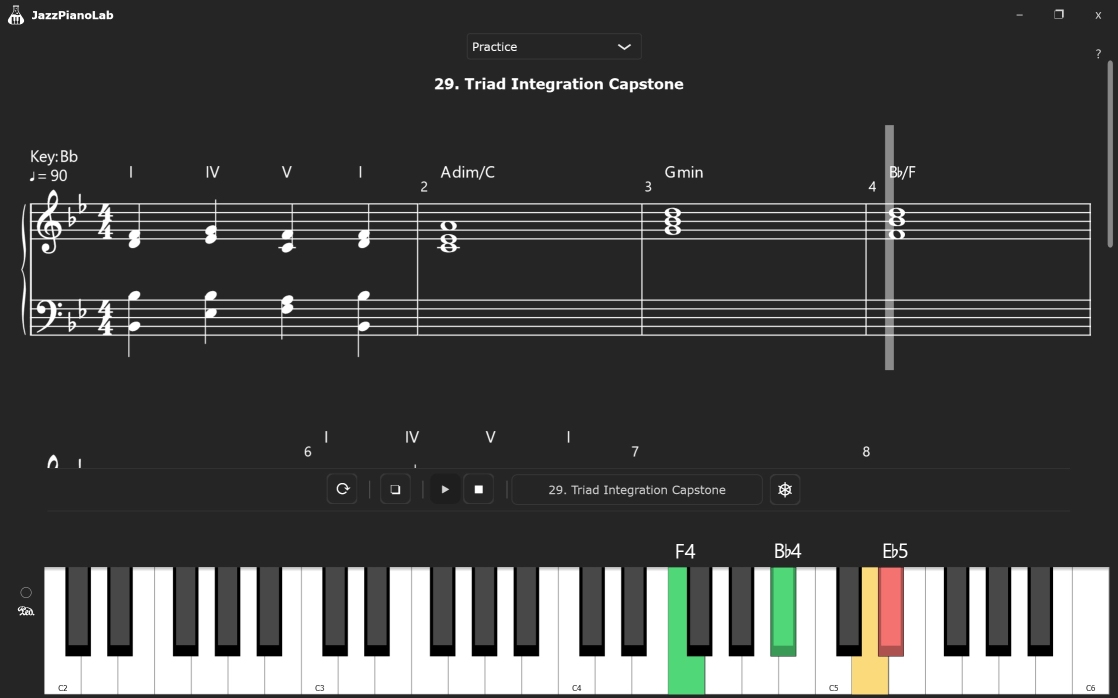
Sharpen your musical ear and reading skills with dedicated, interactive modules. Listen, identify, and play back chords, or practice reading dynamic sheet music at your own pace using the Wait for Key Pressed mode.
Free Interactive Courses
Even if you are starting with zero musical knowledge, we've got you covered. Learn at your own pace with hands-on lessons covering basic music theory, sight-reading, ear training, jazz chords, and much more.
Plus, we are constantly adding new courses to the library!
Explore JazzPianoLab Courses.
JazzPianoLab — Features Overview
Real-Time Chord Identification
Play any combination of notes on your MIDI keyboard or synth, and JazzPianoLab will instantly recognize and display the chord.
- Visual output: chord symbols, music notation and note names
- Configure the Chord Identification engine to suit your learning style (inversions, bass notes, matching options and etc.)
- Ideal for performers, bloggers, teachers, and students who want fast, accurate harmonic feedback
Ear Training & Sight Reading
Sharpen your musical ear and boost your sight reading skills with our rebuilt practice engine modules:
- Practice intervals, chords, scales, and simple progressions—by ear and by sight.
- Flexible Playback: Use Automatic mode for continuous flow, or Wait for Key Pressed mode which pauses the playhead until you play the correct keys on your MIDI controller.
- Smart Hint System: Getting stuck? Get visual cues flashing directly on the UI keyboard to guide you.
- Build real-world recognition and recall for both listening and reading on your instrument.
- Use JazzPianoLab's exercises or build your own custom drills.
Chord Library & Chord Profile System
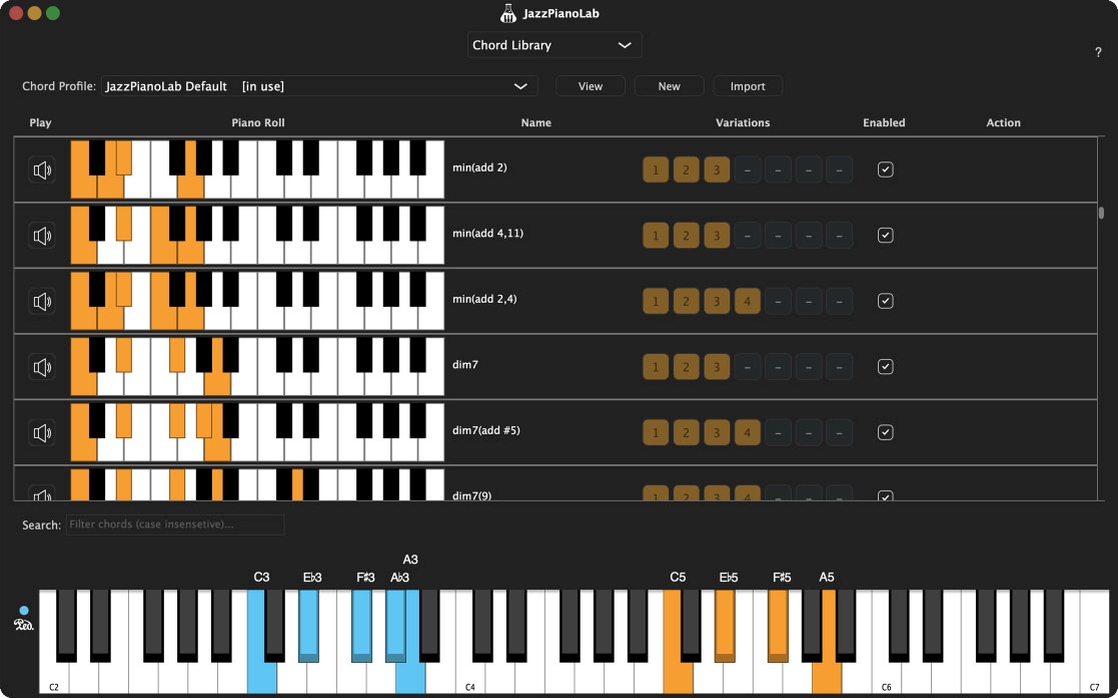
Unlock the full power of Jazz harmony with our advanced Chord Library and Profile System. Start with a comprehensive default profile featuring the most common jazz, pop, and classical chords and their variations.
- Create custom chord profiles from scratch or modify existing ones to fit your style
- Rename or add new chords, and variations
- Import, edit, and share your chord profiles!
A Growing Library of Interactive Courses
JazzPianoLab is more than just a set of practice tools. We are building a dedicated library of interactive courses and bootcamps designed to expand your jazz piano vocabulary and sharpen your ear.
- Step-by-Step Paths: Whether you are just learning the basics of listening or diving into advanced jazz harmonies, the lessons scale smoothly to guide you from one level to the next.
- Real-Time Feedback: See exactly how you are doing as you play. The app tracks your accuracy, helping you fix mistakes instantly and build solid muscle memory.
- Learn at Your Own Pace: No rushed deadlines. Simply load a course, tweak the difficulty to fit your current skills, and practice whenever it works best for you.
Read more about our JazzPianoLab courses.

MIDI Keyboard Support & VST3 Instruments
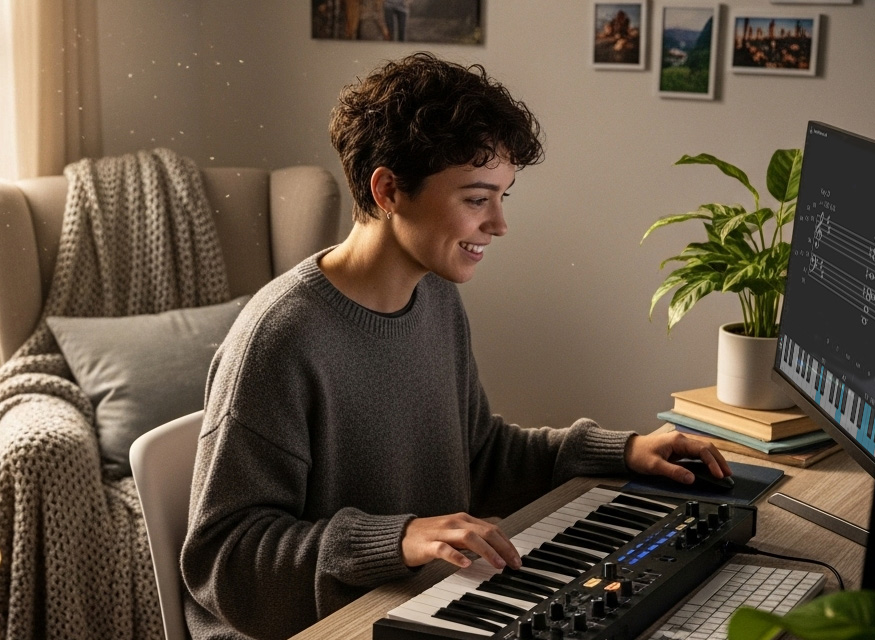
- Connect a MIDI keyboard or synthesizer for full interactivity
- Use your favorite VST3 Instrument Libraries. Especially with MIDI controllers that have no onboard sounds
- Optional support for PC/Mac keyboards

Key Awareness & True Intervals
Customize how chords and notes are displayed based on the current key.
- Choose preferred enharmonic equivalents (e.g., C♯ vs D♭)
- True Intervals Display: Accurately calculate and display the exact real theoretical notes of your pressed chords based on context, rather than defaulting to generic equivalents.
Metronome & built-in MIDI Recorder
Stay in time with a built-in metronome.
You can adjust the tempo, sounds, volume, and time signatures. Now features pre-count measures and smart muting before downbeats.
Record and save your compositions as a MIDI file.
Score Editor for Sight Reading Practice Scenarios
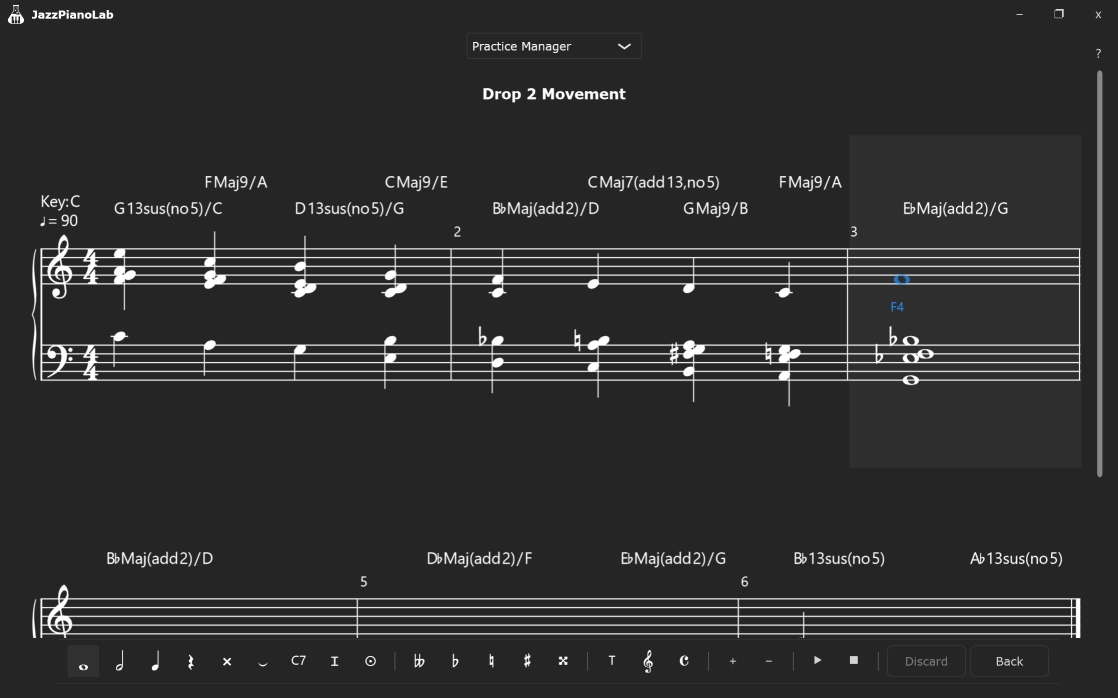
Write and edit sheet music for practice scenarios with our built-in score editor:
- Enter notes directly into the score using mouse or MIDI keyboard.
- Real-time score adjustments for time and key signatures.
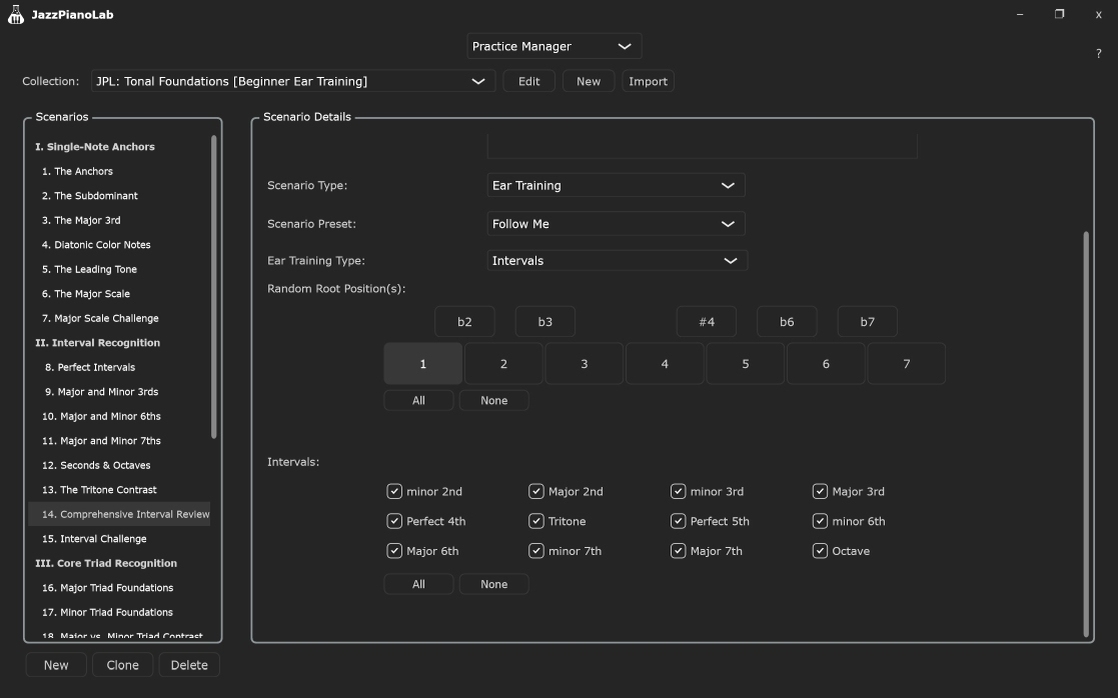
Interval, Chord, & Progression Trainer
Build fluency with a powerful and flexible training tool:
- Practice specific intervals, chords, and chord progressions.
- Advanced Generation: Automatically generate practices with notes, intervals, chords, and chord inversions.
- Train in all 12 keys or selected keys with configurable switching logic (random, stepwise, by interval).
- Clone existing practice scenarios and customize parameters like tempo, repeat counts, enharmonics simplification, modulation rules and many more.
Great for ear training, learning harmony, building voicing muscle memory, and connecting sound with theory.
Configure the layout and colors of the interface*
- Customize the interface layout to suit your workflow
- Choose a color theme or make your own for a personalized look
- Adjust the size and position of interface elements
*This feature is coming soon in a future update.
Always Evolving
JazzPianoLab is under active development, with new features, courses and bootcamps on the way.
- Join our mailing list to get updates
- Submit a support ticket to share feedback, request features, and get help from our team

System Requirements
- Windows Users: 64-bit Windows 10 or higher
- Mac Users: macOS 10.12 or higher (Universal build for Intel and Apple Silicon)
- Memory: 8 GB RAM
- CPU: 4 or more CPU cores
- Storage: 1 GB hard disk space
- Audio Hardware: OS compatible audio hardware (ASIO or CoreAudio)
- Display: 1280 x 800 minimum resolution
- Internet: required for activation and usage
Note: If you plan to use VST3 Instruments, please check the instrument's own system requirements.

Questions?
Have a question? Read through our FAQ. If you can't find an answer,
please contact us. We're here to help.